Accept Payments
Setup
To accept payments via the vivenu API, you must first integrate your own payment gateway.
Overview
The following workflow illustrates how to accept payments for an existing checkout:
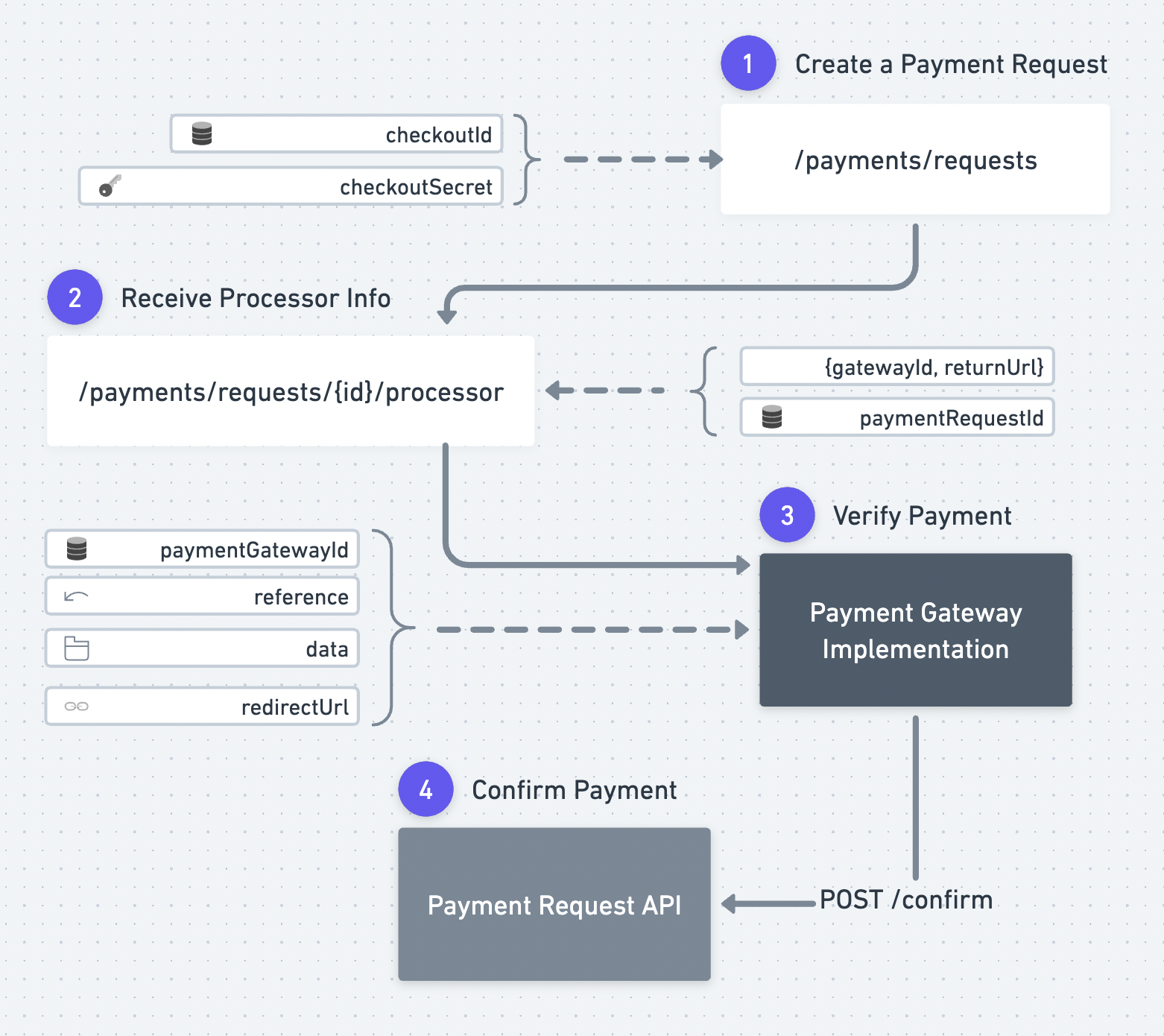
The flow to accept payments is:
- Create a Payment Request
- Retrieve Processor Info. From the Payment Processor Info you can read out all the data required to verify a payment. All additional data required for the integration to work are located in the data attribute.
- Verify the payment through your own Payment Gateway Implementation
- Confirm a Payment Request
Payment Processor Info
Required attributes
- Name
paymentGatewayType- Type
- enum(stripe, paypal, adyen, custom, cardconnect, worldline, shift4, authorizenet, wallee, square, payfast, touchnet, transact, unzer, monext, vivenuPayments, ebanx, rapyd, momentusPayments, paymob, additional-payment-method)
- Description
- Name
createdAt- Type
- string date-time
- Description
An ISO timestamp indicating when the payment request processor was created
Optional attributes
- Name
paymentGatewayId- Type
- string
- Description
- Name
reference- Type
- string
- Description
- Name
redirectUrl- Type
- string
- Description
- Name
data- Type
- array | boolean | number | object | string
- Description
Example
{
  "paymentGatewayType": "stripe",
  "createdAt": "2030-01-23T23:00:00.123Z",
  "paymentGatewayId": "507f191e810c19729de860ea",
  "reference": "string",
  "redirectUrl": "string",
  "data": []
}